
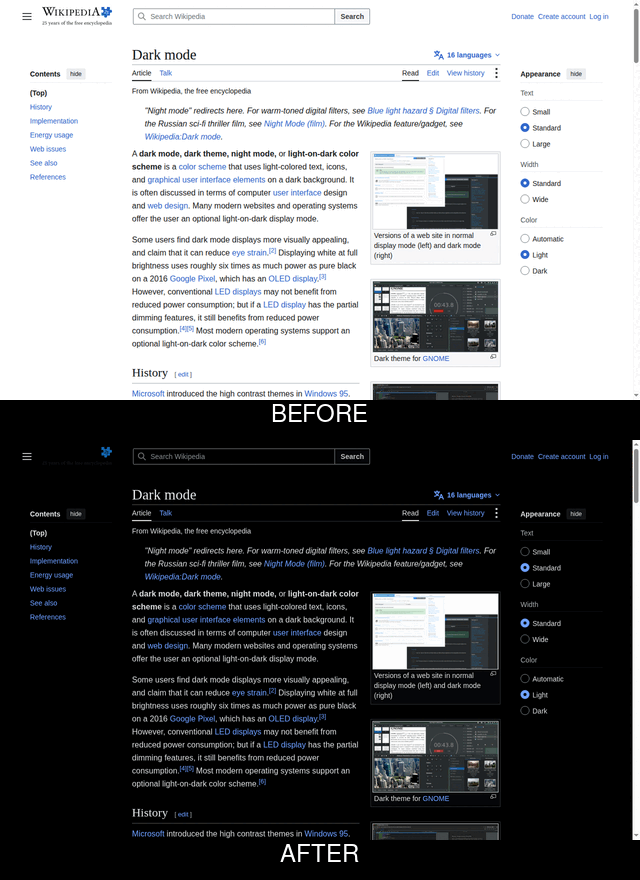
Dark mode. Any website. One extension.

Blackout forces a clean dark theme onto every site you visit — with per-site control, brightness/contrast tuning, and an optional day/night schedule. Free, private, no account required.
What it does
Works everywhere
One click darkens any site, even ones that never built their own dark mode.
Photos stay normal
Smart color handling keeps images and video looking right — no "negative" effect.
Tune it to your eyes
Brightness, contrast, warmth (sepia), and grayscale sliders, live-previewed.
Per-site overrides
Dark everywhere except your bank's site? Set it once, it's remembered.
Auto day/night schedule
Optional — dark mode switches on at night and off in the morning, automatically.
Nothing collected
No analytics, no tracking, no network requests. Settings stay in your browser.
Available for
Chrome
Edge
Firefox
Safari (coming soon)
Official store listings are in review. In the meantime, install the exact same build directly: